


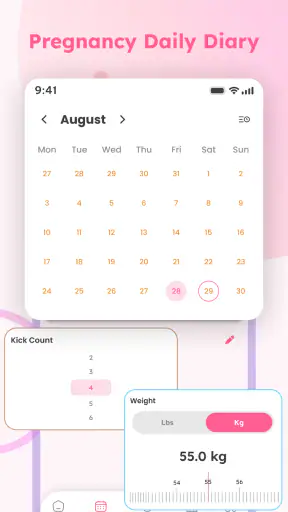
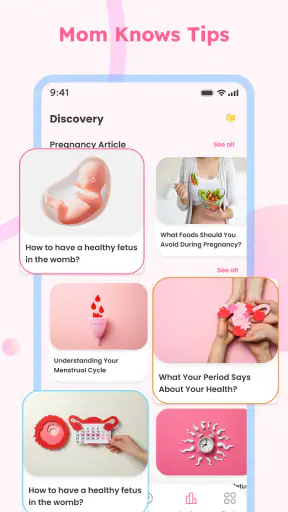
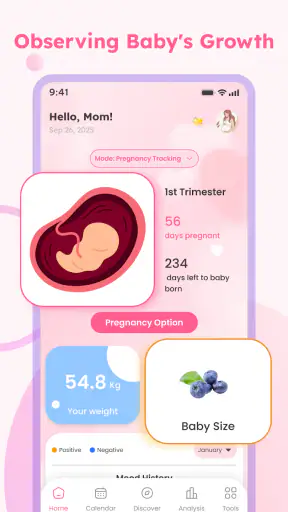
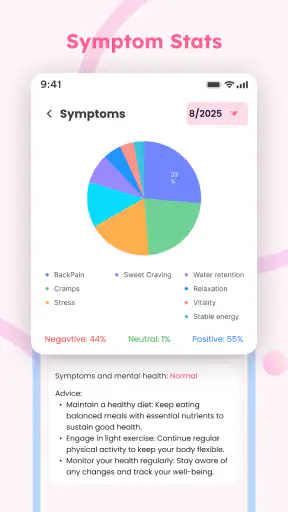
I approached Baby Tracker - Pregnancy Care as a practical parenting app rather than a replacement for medical advice. Its focus is clear: helping parents record baby-related routines while also offering pregnancy-oriented tools such as a contraction timer and ovulation tracking. That combination makes it more useful across different stages of family planning than a basic feeding or diaper log, but it also means I pay closer attention to how much personal information I enter and how much control I retain over it.
The app is free, aimed at everyone, and comes from NEPTUN EXPRESS INC. It has reached over a million installs and holds a 4.4 average from around 3.7 thousand ratings, which gives it a reassuring level of visibility without making popularity a substitute for careful use. The current version is 1.0.3, and it runs on operating system version 9 or later. I would treat those details as a useful starting point, then judge the app mainly by whether its tracking fits my routine and whether I feel comfortable with the choices presented on the device.
What Baby Tracker - Pregnancy Care is like in everyday use
The strongest idea here is the attempt to bring several related needs into one place. A parent may want to record baby care, someone trying to understand their cycle may want ovulation tools, and a pregnant user may need a quick way to time contractions. Instead of switching between separate specialist apps, this approach keeps those activities under one parenting-focused roof.
That convenience matters most during busy moments. Imagine a night when a baby wakes repeatedly and I am trying to remember the last feeding, while also keeping an eye on a routine that has become difficult to track mentally. A dedicated log can reduce guesswork. In another situation, during late pregnancy, I may need to start and stop a contraction timer without searching through a general health app. The value is not that the app makes decisions for me; it is that it gives me a consistent place to record events while my attention is elsewhere.
I also like the broader life-stage design. Many parenting utilities concentrate on one narrow task, while this app connects pregnancy care and baby tracking. That can be helpful for someone who does not want to build a collection of separate tools. The trade-off is that a wider scope can feel less specialized. A person who only wants a highly detailed feeding journal, a dedicated fertility calendar, or a clinically oriented contraction tool may prefer an app built around that single purpose.
The store short description is simply “Baby Tracker,” but the actual concept reaches beyond a newborn log. I would not install it expecting an elaborate medical platform. I would install it for quick personal records, repeated daily observations, and simple timing tasks that are easier to handle digitally than on paper.
Why the trust question matters more in a parenting app
Parenting and pregnancy records can be intimate even when they look like ordinary notes. A feeding time, a cycle pattern, or a contraction interval can reveal sensitive details about health, family life, and future plans. That is why I would avoid treating a free download as automatically risk-free. The absence of a purchase price removes one barrier, but it does not remove the need to review the app’s visible choices on my own device.
Before entering anything personal, I would look carefully at the permission prompts and any privacy or account screens that appear during setup. I would grant only access that makes sense for the task in front of me, and I would pause if a request seemed unrelated to tracking. I would also check whether the app can be used without creating an account, whether it offers sign-out or deletion controls, and whether its settings make those choices easy to find. Those are practical habits, not accusations about this particular developer.
NEPTUN EXPRESS INC presents the app as a parenting utility, and the Everyone age rating makes it approachable for a broad audience. Still, an age label describes suitability, not the sensitivity of the information a parent may choose to enter. I would keep that distinction in mind if the phone is shared with a partner, relatives, or older children.
Controls I would verify before building a routine
The first useful test is whether the app lets me decide what to record instead of forcing me into a rigid routine. Baby care is unpredictable, and a tracker becomes frustrating when every entry requires too many steps. I would try a few representative tasks: recording a routine event, timing a contraction, and checking the ovulation section. The goal is to see whether the controls are understandable when I am tired, distracted, or holding a baby.
I would also inspect how the app handles corrections. Real records are messy. I may enter the wrong time, tap the wrong event, or remember a detail several minutes later. An editable log is much more useful than a system that treats the first tap as permanent. If the app presents a history, I would check whether entries can be reviewed in a meaningful order and whether an accidental record can be removed without clearing everything.
Another important check is the boundary between a timer and an interpretation. A contraction timer can help me record start and stop points, but I would not let a simple interval display decide whether labor is progressing normally. I would follow the guidance from my healthcare professional and contact appropriate medical services when necessary. The same caution applies to ovulation tools: a recorded cycle pattern can support personal awareness, but it should not be treated as a diagnosis or a guarantee of fertility.
I would take a similar approach to account controls. If the app offers profile, sign-in, export, deletion, or synchronization choices, I would read each one before relying on it. If it works locally, I would consider whether that is enough for my needs. If I need access across devices, I would weigh that convenience against the amount of personal information involved. The right choice depends on the user, but it should be a deliberate choice rather than an accidental result of tapping through setup.
Sensitive moments where a little preparation helps
The contraction timer is likely to be used under more pressure than the ordinary baby log. I would open it once in advance, learn where the start and stop controls are, and make sure the screen is readable before I need it. This small rehearsal is one of the most useful ways to avoid fumbling during a stressful moment. I would also keep a second method available, such as a clock or written note, because no phone app should be my only plan during a medical situation.
For ovulation tracking, consistency is more important than entering a large amount of detail once and then abandoning the routine. I would choose a time of day when I can review the app calmly and use the same approach from one cycle to the next. I would avoid interpreting one unusual entry in isolation. The app can help organize observations, but personal health decisions may require a clinician, testing, or a more specialized service.
Baby tracking has its own sensitivity. If I record sleep, feeding, or other care events, I would avoid turning the log into a source of anxiety. The purpose should be to spot useful patterns and communicate clearly with a partner or healthcare professional, not to chase perfect data. A missed entry does not make the rest of the record worthless. In fact, a simple, sustainable routine is often more helpful than an ambitious one that becomes another household task.
There is also a privacy moment that is easy to overlook: handing the phone to someone else. If the app opens directly to recent records, a partner may appreciate the convenience, while a visitor or child may see information I intended to keep private. I would use the phone’s own security features and review what appears on screen before sharing the device. I would be especially careful with notifications, previews, and any visible summaries.
How I would use it with another caregiver
A tracker becomes more valuable when two adults are trying to coordinate care. I would use the app as a shared reference during handoffs: what happened recently, what still needs attention, and which details should be mentioned to a professional. The important habit is to agree on what each entry means. If one person records the beginning of a feeding and another records the end, the resulting history may look precise while actually mixing different conventions.
If the app does not provide the exact collaboration workflow I want, I would not force it to become a family command center. I would keep entries short and use a separate conversation for decisions, reminders, and medical instructions. This division is sensible because a log records events, while caregiving also requires judgment and communication.
For a partner who does not use the app, I would create a simple handoff habit rather than assuming the other person will inspect the phone. A quick verbal summary can prevent missed information. If the app includes any sharing or account feature, I would review who can access what before enabling it. I would never assume that a convenient sharing button has the same privacy boundaries as a private local note.
Where it compares well with usual alternatives
The usual alternatives are a paper notebook, a general notes app, a dedicated fertility tracker, a standalone contraction timer, or a baby app focused on one type of record. Paper remains excellent when a phone is unavailable or when I want complete control over where the information lives. A notes app is flexible, but it usually makes repeated entries, timing, and later review more manual.
A single-purpose fertility app may offer a deeper cycle workflow, while a specialist labor timer may be more focused during delivery preparation. A dedicated baby log may also suit parents who need very detailed records for one child. Baby Tracker - Pregnancy Care makes the more appealing compromise for someone who values one familiar place over maximum depth in every area.
That compromise is not automatically better. If I already have a trusted tool that handles one need extremely well, moving everything into a broader app may create duplicate records and extra work. I would choose this app when reducing app switching matters more than having the most specialized feature set. I would skip it when my main requirement is clinical documentation, advanced analysis, or a workflow designed specifically for professional care.
Practical limits I would keep in mind
The app’s broad purpose can also be its main limitation. Pregnancy tracking, ovulation tools, contraction timing, and baby records serve different moments and different expectations. A user may find the range convenient one day and distracting the next. I would keep only the sections that match my current stage of life and avoid filling in unrelated areas simply because they are available.
I would also resist using the app as an authority. A timer can measure the intervals I enter; an ovulation tool can organize cycle information; a baby log can preserve a history. None of those functions should replace professional assessment, especially when symptoms are worrying or a baby’s condition changes. This is the most important trade-off to understand before downloading: the app can improve organization, but organization is not medical care.
Because it is free, I would pay attention to the experience around optional prompts, notifications, and permissions. I would disable anything I do not find useful and revisit the settings after a few days of normal use. That gives me a clearer sense of whether the app supports my routine or quietly adds friction. I would also keep the app updated through the official store, since the current version is 1.0.3 and later changes may affect controls or compatibility.
Who I think will benefit most
I see the best fit as a parent or parent-to-be who wants a straightforward, multi-purpose organizer and is willing to spend a few minutes checking the app’s visible privacy and account choices. It is especially appealing to someone who dislikes maintaining separate tools for baby care, cycle awareness, and contraction timing.
It may also suit couples who need a shared vocabulary for routine events, provided they agree on how records are entered and do not mistake the log for a complete care plan. The Everyone rating makes it broadly approachable, while the minimum operating system requirement of version 9 or later keeps it relevant for many older devices.
I would be more cautious about recommending it to someone who needs specialized fertility analysis, formal medical records, or a highly configurable neonatal journal. In those cases, a narrower app or direct professional guidance may be the better option. I would also skip it if I know I will not review permissions, account settings, or data controls before entering sensitive information.
My considered verdict after weighing convenience and control
Baby Tracker - Pregnancy Care is most convincing as a practical organizer that follows a family through several related stages. Its combination of baby tracking, pregnancy support, contraction timing, and ovulation tools gives it a useful advantage over a basic newborn log. I appreciate the possibility of keeping everyday records together, especially when tiredness makes switching between several apps unrealistic.
My recommendation comes with a clear condition: use it as a personal tracking aid, not as a medical authority, and make privacy choices deliberately. I would test the core controls before committing to a routine, correct entries when needed, prepare the contraction timer before an urgent moment, and keep an alternative way to record information. Those steps make the app more dependable without asking it to do more than it can reasonably do.
For a free parenting app with over a million installs and a 4.4 average, it is an easy candidate to try. The real question is not whether it covers many topics, but whether its controls feel simple enough for your life and transparent enough for the information you plan to enter. If the answer is yes, it can replace several lightweight tools with one convenient starting point. If you need deep specialization or formal health guidance, I would choose a dedicated alternative instead.


